bizOS Lite allows you to quickly create and manage an e-commerce store where you can add products and publish them directly to your website. This guide walks you through the complete process, from creating products to making them visible in your online shop.
What This Guide Covers
- Creating products in bizOS Lite.
- Making your products visible on your online shop.
By following these steps, you’ll be able to set up your store and start showcasing your products to customers with ease.
What You Need Before You Start
1.Login access to bizOS Lite
2. An active website under the Professional Plan in bizOS Lite
3. Basic product information, including:
- Product name
- Price
- Description
- Images
Step 1: Create Products in bizOS Lite
During website setup, you select a theme for your product pages. This same theme will be applied to your E-commerce Shop page.
To create or add new products, log in to your website and click New, or navigate to the E-commerce menu from the main menu bar.
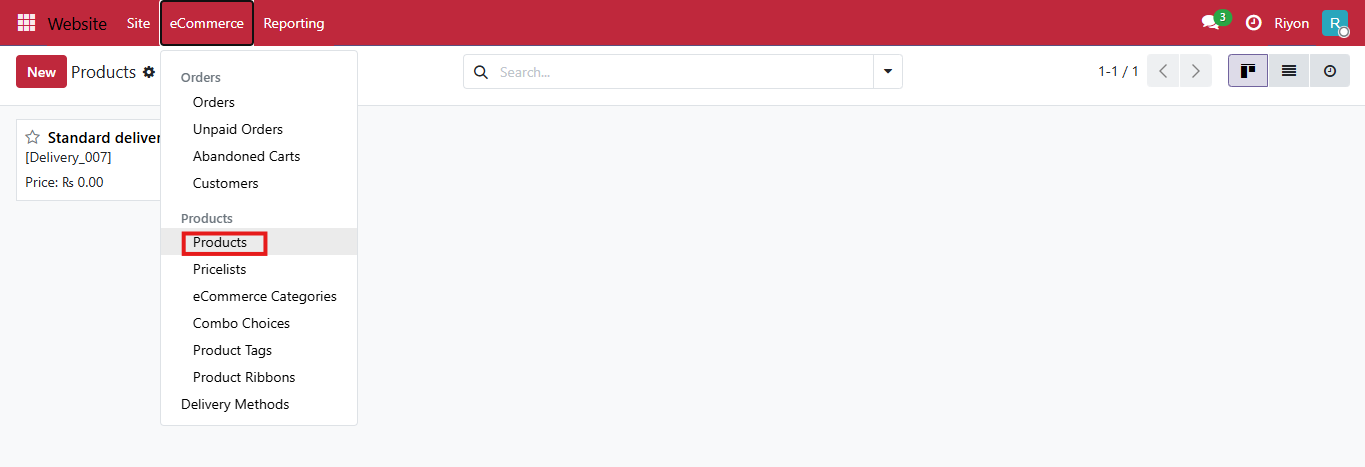
From there, go to Products, click New, and enter the required product details.

Enter all required product details such as:
- Product name
- Price
- Description
- Images and other relevant information
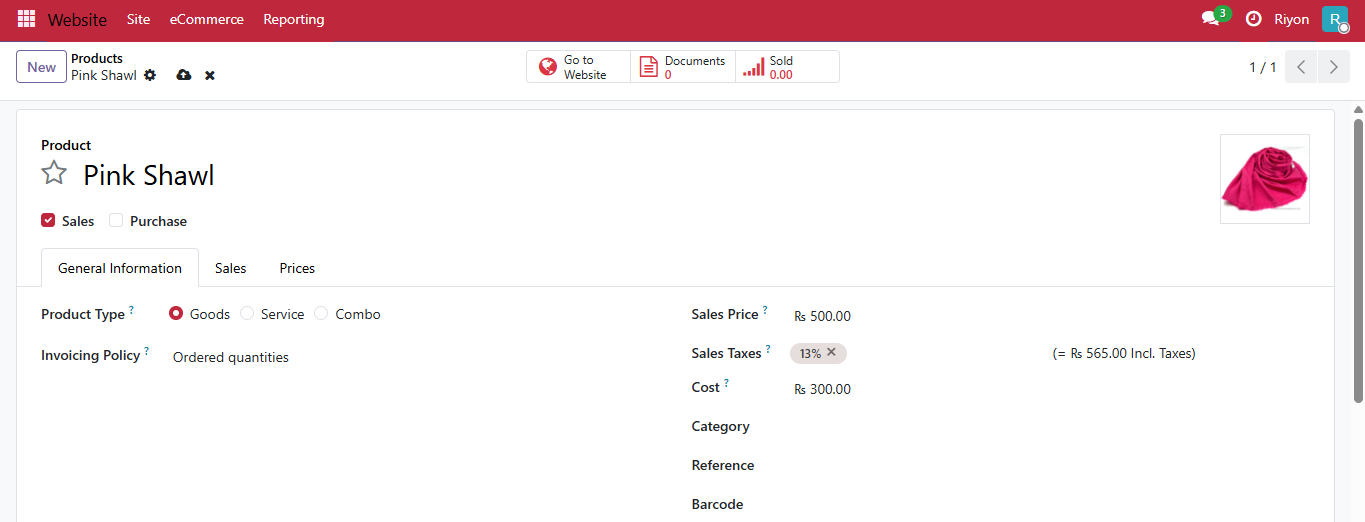
Save the product and you have successfully added a new product.
Step 2: Publish Products to Your Online Shop
After creating a product, you must publish it for it to appear on your website.
You can find the Publish toggle on the product page. To access it, either open the product directly from the Shop page or navigate to Products from the E-commerce menu.
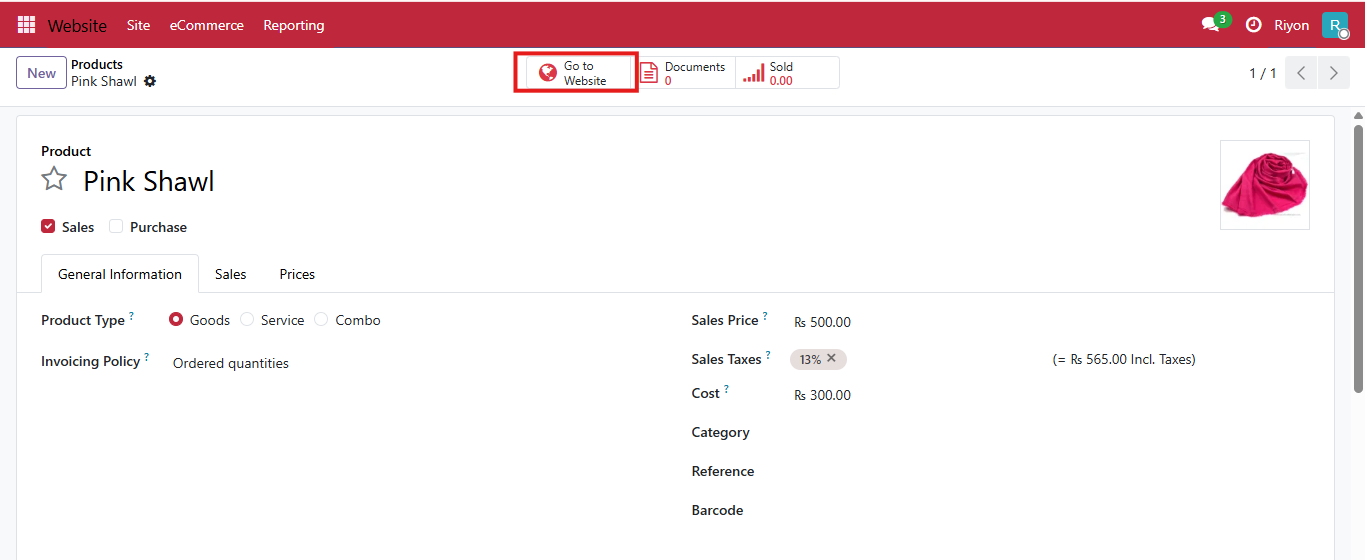
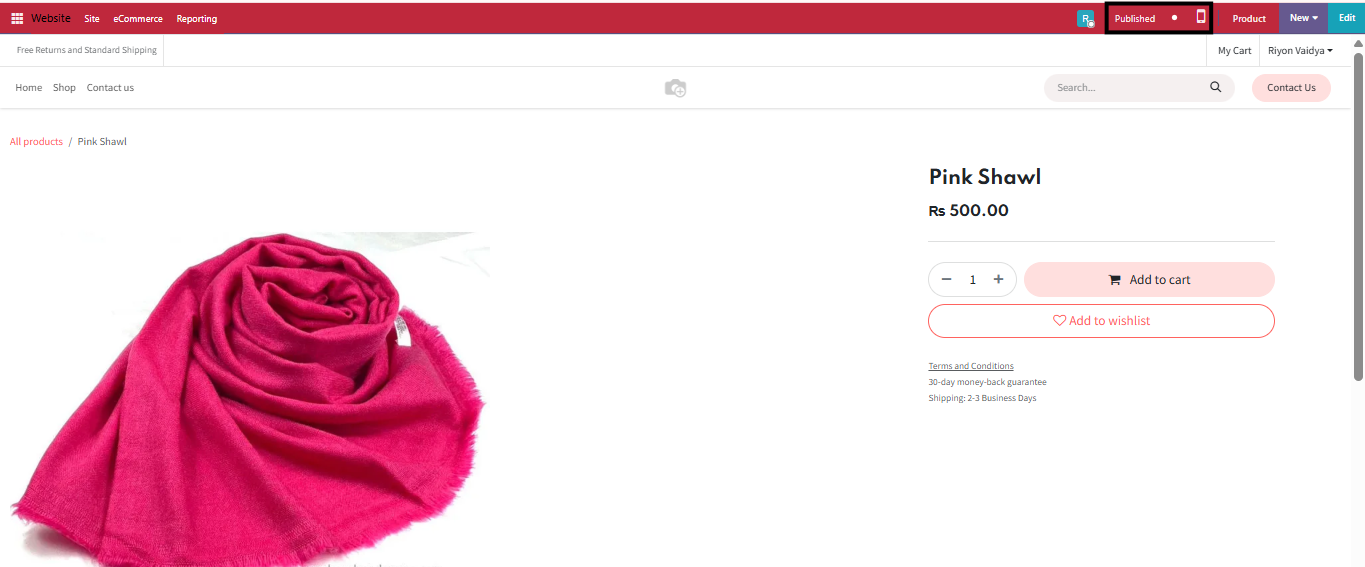
After completing these steps, your products will be visible in your online shop. Customers visiting your website will be able to view your products and interact with your e-commerce store.
For additional customization and advanced features, you can explore more options within the bizOS Lite e-commerce settings.